What to automate first at a plaintiff firm
Every firm owner wants to “use AI,” but the question that matters is what to hand off first. Here’s a simple way to decide, and the handoffs that pay back fastest.
The short answer
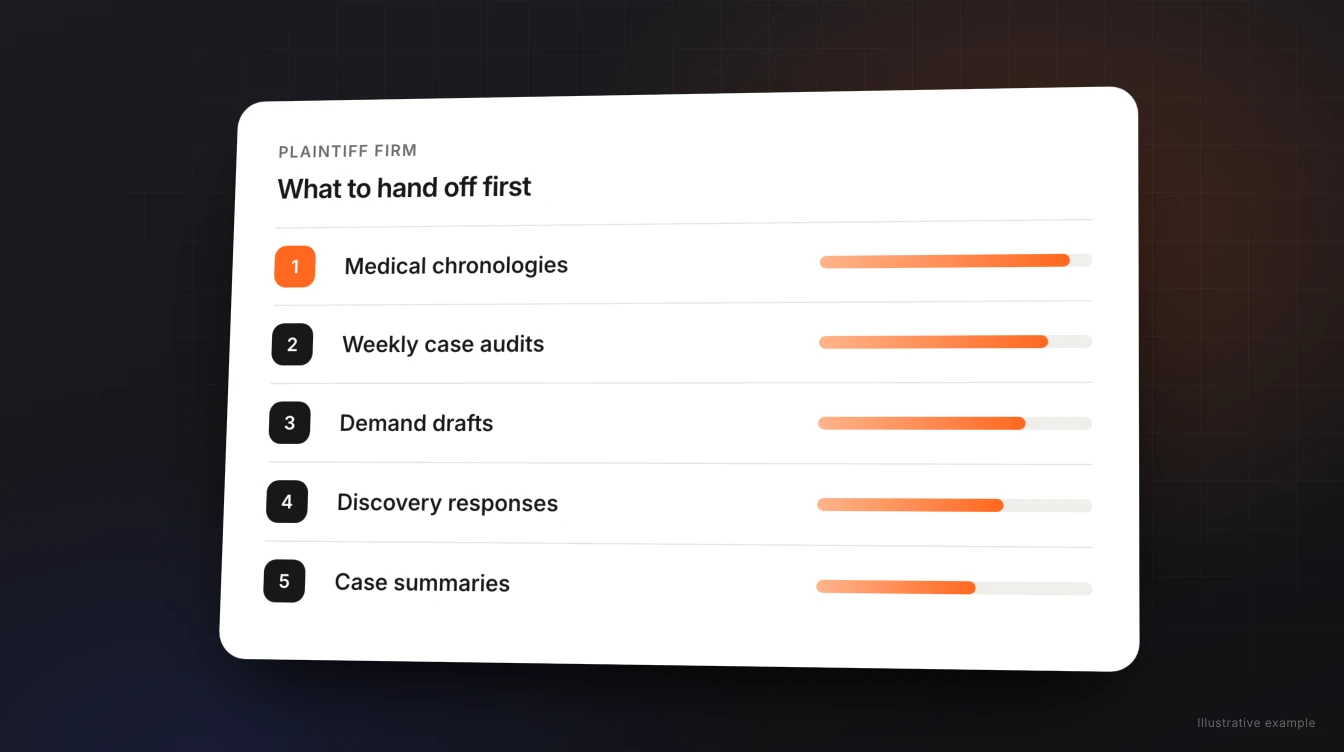
Automate the work that happens on every case, takes hours, and ends in a draft someone reviews anyway. For most plaintiff firms, that means records chronologies, case audits, demand and discovery drafts, and case summaries. Leave deadline calculations and anything that goes out without an attorney’s review for later, or never.
The fastest way to start is to pick one recurring handoff, run it for two weeks, and measure how much editing the drafts need. That’s exactly how firms start with Parker.
A simple test for what to hand off
Score each recurring task on three questions. The ones that answer “yes” to all three go first.
- Does it happen on most cases? One-off tasks don’t pay back the setup.
- Does it take real time? An hour of paralegal time per case adds up faster than five minutes.
- Does a person review the result anyway? If an attorney already checks the work, a strong first draft is pure time saved, with the same safety net.
Ten handoffs, in the order most firms start
Each one is framed the way you’d hand it to a new paralegal: when it happens, what you hand off, and what comes back.
| When | Hand off | You get back |
|---|---|---|
| Medical records arrive | Building the treatment chronology | A dated chronology of treatment, ready to review |
| Every week | Auditing open cases | A list of matters missing records or looking stalled, with suggested next steps |
| A case reaches demand stage | Drafting the demand | A demand draft in your firm’s format |
| Discovery is served | Drafting responses | Draft discovery responses built from the file |
| A partner asks “where are we?” | Summarizing the matter | A case summary pulled from your systems |
| Before mediation | Preparing the file | A mediation prep package and case evaluation |
| A client asks for an update | Drafting the reply | A plain-language update for your team to send |
| Suit needs to be filed | Drafting the complaint | A complaint draft from your templates |
| A motion is needed | Drafting the motion | A motion draft for attorney review |
| Month end | Reporting on the firm | A financial report and analysis for the partners |
Why chronologies and audits usually go first
They hit all three tests hard. Records arrive on every case, building a chronology by hand takes hours, and an attorney reviews it before relying on it. Weekly audits are similar: nobody has time to open every file every week, so the issues they catch, like missing records or a case that hasn’t moved, otherwise surface late. Both also make every later document better, because the demand, the discovery responses, and the mediation package all draw on the same organized file.
What not to automate first
- Deadline calculations. Statutes of limitation and court deadlines need rules and a person accountable for them. Keep your docketing process as it is.
- Anything that goes out without review. Letters to clients, insurers, and courts should always pass an attorney’s eyes. Automate the draft, not the send.
- Judgment calls. Whether to take a case, what to settle for, and trial strategy stay with your attorneys. AI can prepare the analysis; it shouldn’t make the call.
How to roll it out without disrupting the team
- Choose one handoff from the table, ideally the one your team complains about most.
- Load the examples you trust. Give the AI two or three finished versions your attorneys liked, so it learns your format.
- Run it on live cases for two weeks. Keep your normal review step.
- Track the edits. If drafts need fewer corrections each week, it’s learning. If not, fix the examples before expanding.
- Add the next handoff. Most firms add one every couple of weeks once the first is steady.
How this works with Parker
Parker is an AI employee for plaintiff firms. It connects to Clio, Filevine, or MerusCase, plus your email, Slack, and document storage, and takes handoffs three ways:
- When you ask. By web chat, email, or Slack, in plain language: “Parker, build a chronology for this case.”
- When a case changes. Work can start when a matter reaches a stage, so the draft is waiting when your team gets to it.
- On a schedule. Recurring work like weekly case audits runs in the background.
Parker learns from the templates and corrections your team provides, and the whole firm benefits. Every draft goes to your attorneys for review. Our team helps you choose the first handoffs and get them running.
Frequently asked questions
What should a plaintiff firm automate first?
Work that happens on most cases, takes real time, and already gets reviewed by an attorney. For most plaintiff firms that means medical records chronologies, weekly case audits, demand and discovery drafts, and case summaries.
What shouldn’t a law firm automate?
Start without deadline calculations, anything sent to clients, insurers, or courts without attorney review, and judgment calls like case acceptance, settlement value, and trial strategy.
How long does it take to see results?
Most firms can judge a single handoff within two weeks by tracking how much editing each draft needs. Fewer corrections week over week means the AI is learning your firm’s format.
Do we need to change our case management system?
No. Parker connects to Clio, Filevine, and MerusCase, plus email, Slack, Google Workspace, Microsoft 365, and Dropbox.
Can work start automatically?
With Parker, yes. Work can start when you ask, when a matter reaches a stage, or on a schedule, like weekly case audits. Every draft still goes to your attorneys for review.
Who sets up the workflows?
Our team helps you choose the first handoffs, connect your systems, and load the templates your attorneys trust.
Pick your first handoff.
Connect your systems, choose one recurring task, and see what Parker hands back in the first week.