AI medical chronologies: what good looks like, and where they go wrong
Medical chronologies are one of the first things plaintiff firms hand to AI, and one of the easiest to get subtly wrong. Here’s what to expect and how to check it.
The short answer
A good AI medical chronology saves hours per case, but only if it’s accurate, points back to the source records, and fits the way your attorneys review. The biggest practical difference between tools is where the records come from: some make you export and upload files to a separate platform, and others work from the records already in Clio, Filevine, MerusCase, or your document storage.
Parker is in the second group. It builds chronologies from the records your firm already keeps, in your firm’s format, for attorney review.
What a useful chronology includes
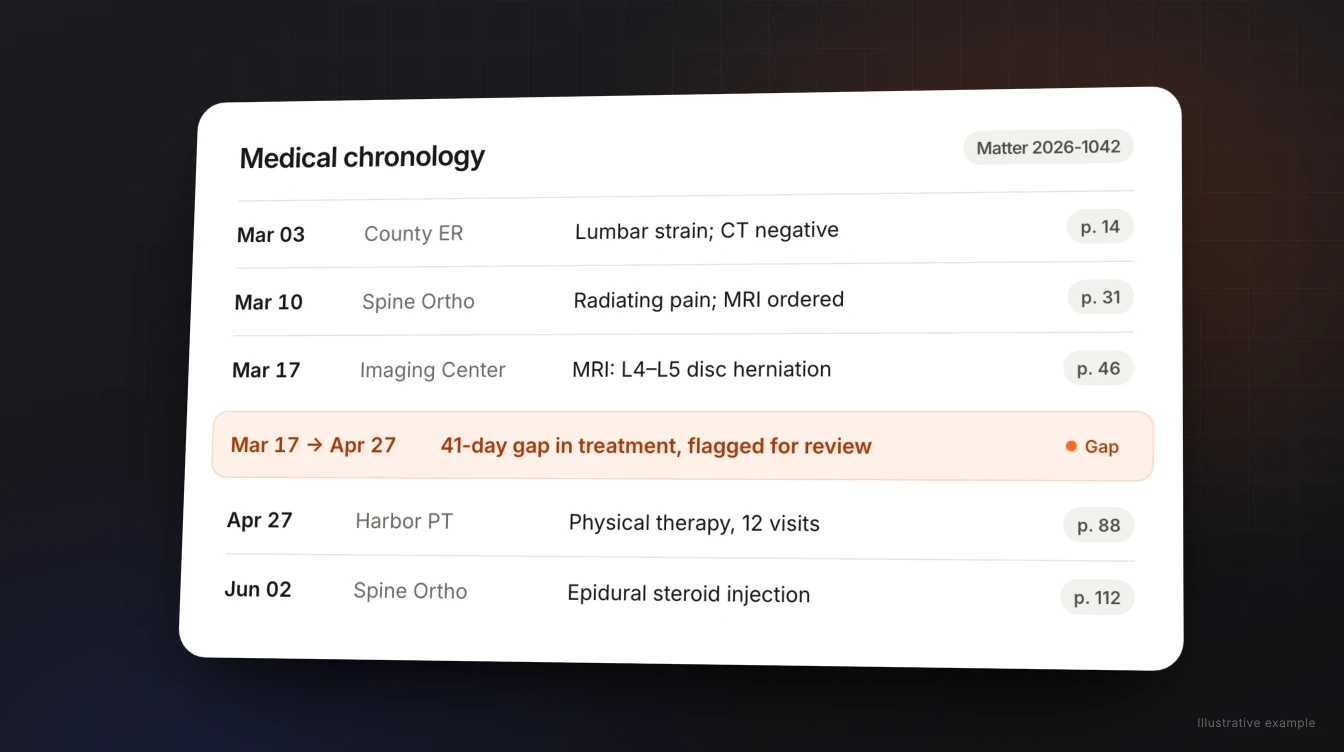
Whether a person or an AI builds it, a chronology your attorneys can rely on should cover:
- Every date of service, in order, with the provider and facility.
- Complaints, findings, and diagnoses for each visit, in plain language.
- Treatment and referrals: procedures, medications, imaging, therapy, and who sent the client where.
- Gaps in treatment, flagged clearly, because the other side will find them.
- Prior and unrelated conditions that may come up on causation.
- A reference back to the source for each entry, so an attorney can check it in seconds.
- Missing records, such as a referral with no follow-up visit in the file.
Where AI chronologies go wrong
- Duplicates and misdated entries when the same visit appears in several records.
- Smoothed-over gaps, where a summary reads continuous when treatment wasn’t.
- No trail back to the source, which turns every review into a re-read.
- Stale files, when the chronology was built from an upload and new records arrived afterward.
None of these are reasons to avoid AI. They’re reasons to evaluate tools on a closed case you know well, and to keep an attorney’s review in the process.
Upload-based tools vs. tools that work in your systems
| Upload to a separate platform | Work from your systems | |
|---|---|---|
| Getting records in | Export and upload each time | Uses records already in your case management and documents |
| When new records arrive | Upload again | Update the chronology from the same file |
| Where the result lives | The vendor’s platform | Back with your team, in your tools |
| What else it can do | Usually chronologies and demands | The rest of the casework on that matter |
How to evaluate any chronology tool
- Use a closed case with messy records. Duplicates, a treatment gap, and a prior injury make a good test.
- Check ten random entries against the records. Dates, providers, and findings should match exactly.
- Look for the gap. Did the tool flag it, or smooth it over?
- Time the attorney’s review, not just the generation. Source references are what make review fast.
- Add a new record and rerun. See how much work it takes to keep the chronology current.
- Ask how the data is handled: where it’s stored, who can access it, and whether it trains models.
How Parker builds chronologies
Parker is an AI employee for plaintiff firms. It connects to Clio, Filevine, or MerusCase, plus your email and document storage, and treats the chronology as part of the case, not a separate project.
- Ask in plain language, by web chat, email, or Slack: “Parker, build a medical chronology for this case and flag any treatment gaps.”
- Get it in your format. Parker learns from the chronologies your attorneys already like.
- Keep going from there. The same Parker uses that chronology for the demand, discovery responses, case evaluation, and mediation preparation.
- Attorneys stay in charge. Every chronology goes to your team for review.
Parker runs on your firm’s own dedicated server, and we don’t train models on your case files.
Frequently asked questions
What should an AI medical chronology include?
Every date of service in order with provider and facility, complaints and diagnoses, treatment and referrals, clearly flagged treatment gaps, prior or unrelated conditions, missing records, and a reference back to the source for each entry.
Can AI medical chronologies be trusted?
They can save hours, but they need attorney review. Test any tool on a closed case with messy records, spot-check entries against the source, and confirm it flags gaps rather than smoothing them over.
Do I have to upload records to get an AI chronology?
Not with every tool. Some platforms require exporting and uploading records. Parker works from the records already in Clio, Filevine, MerusCase, email, or your document storage.
Can Parker update a chronology when new records arrive?
Yes. Because Parker works from the same case file, you can ask it to update the chronology as new records come in.
What happens to our medical records data?
Parker runs on your firm’s own dedicated server, and we don’t train models on your case files. Ask the same questions of any vendor: where data is stored, who can access it, and whether it’s used for training.
What else can Parker do with a chronology?
Use it for the next steps on the case: demand drafts, discovery responses, case evaluations, and mediation preparation, all for attorney review.
Get a chronology from records you already have.
Connect your case management, pick a case, and see the chronology Parker hands back.